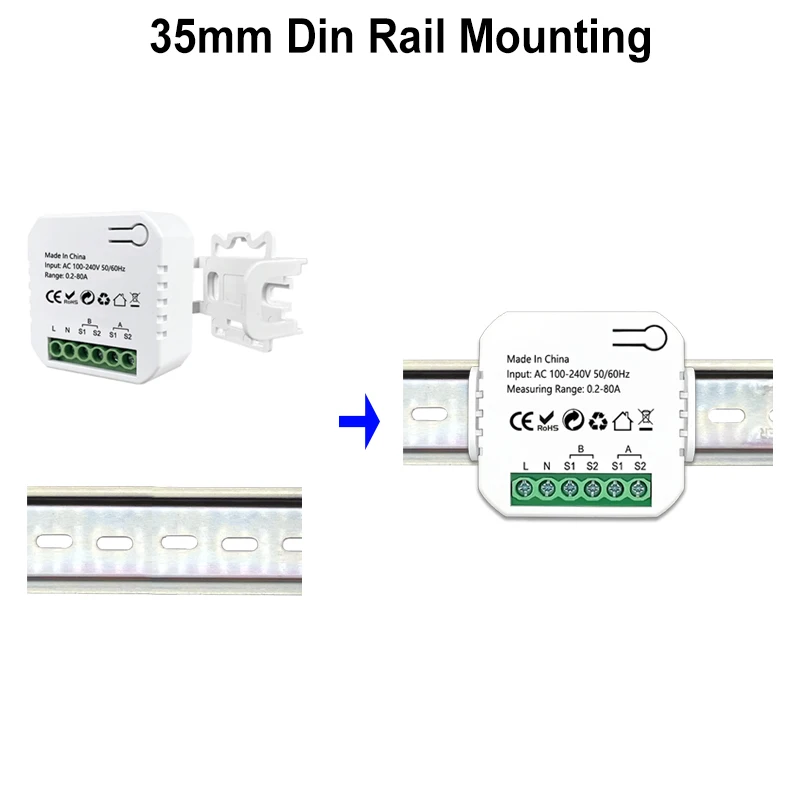
Smart ZigBee Energy Meter Bidirection 1, 2 Channel with Current Transformer Clamp App Monitor Power 80A 110V/240V 50/60Hz


Smart ZigBee Energy Meter Bidirection 1, 2 Channel with Current Transformer Clamp App Monitor Power 80A 110V/240V 50/60Hz
Free Shipping on Orders of $100 or More
SPECIFICATIONS
App Name: Tuya Smart, or Smart Life
Brand Name: MatSee Plus
Camera Equipped: No
Certification: CE,RoHS
Channel: 1, and 2 Channel available
Choice: yes
Communication method: Zigbee
Compatibility: All Compatible
Frequency: Support 2.4Ghz, not 5Ghz
Gateway: Tuya ZigBee Gateway is required
High-concerned chemical: None
Origin: Mainland China
Protocal: ZigBee
State of Assembly: Ready-to-Go
Voltage: 100-240vAC
NOTE
Customer review: This product is a good choice when used together with Home Assistant on Zigbee2mqtt. For it to function properly, you need to stop z2m and change >TZE28C1000000_81yrt3lo to >TZE284_81yrt3lo. Make the changes in the database of Zigbee2mqtt through the "file editor" and then restart.
FQA
Q: Why can't my device connect to 2.4G WiFi?
A: This is a ZigBee device, it can't connect WIFI signal directly, but require a Tuya ZigBee gateway as hub to work, please make sure you have a Tuya ZigBee gateway to work with this item.
Q: Is it ZigBee 3.0 standard Item?
A: No. It's Tuya ZigBee device, not with ZigBee 3.0. Standard, so it can only work with Tuya ZigBee Gateway.
Q: Is this device compatible with Zigbee2MQTT?
A: Sure. But you need to know how to set it up. Internal id: _TZE284_81yrt3lo. You may need to install a quirk: 'github.com/jeverley/zha-device-handlers/blob/ts0601_energy_meter_devices/zhaquirks/tuya/ts0601_energy_meter.py'
Q: Is this device compatible with HomeAssistant?
A: No, it's not compatible. You need configure it with ZigBee2MQTT first, then it can work with Home Assistant. If you don't know how to configure it, please use the Tuya Smart or Smart Life APP.
Q: Does the equipment have an overload alarm function?
A: Sorry, it doesn't support that.
Please note this item requires a Tuya ZigBee Gateway to work, it can not directly connect to 2.4G WiFi.
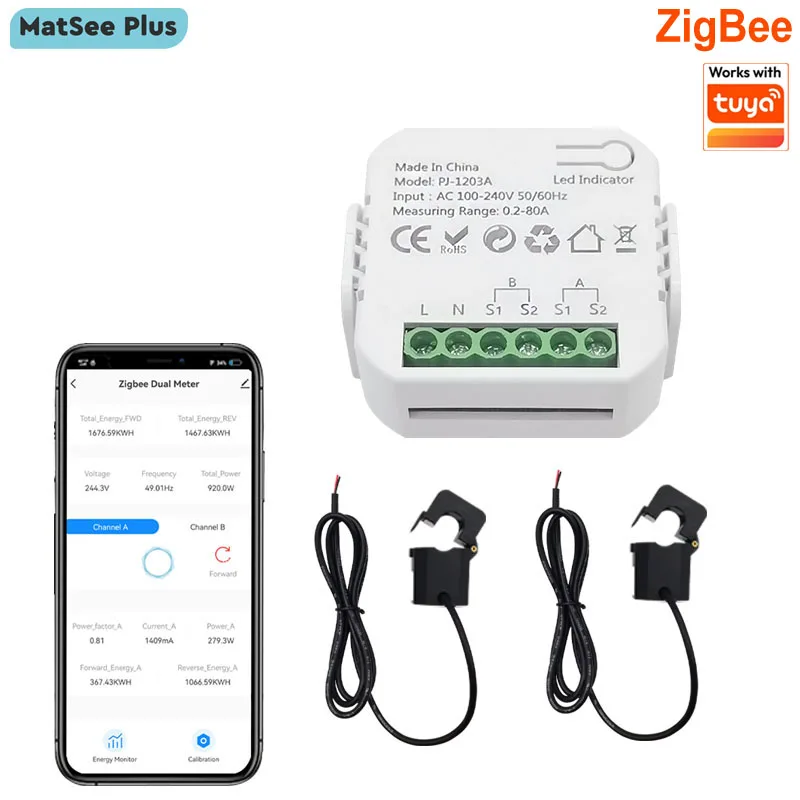

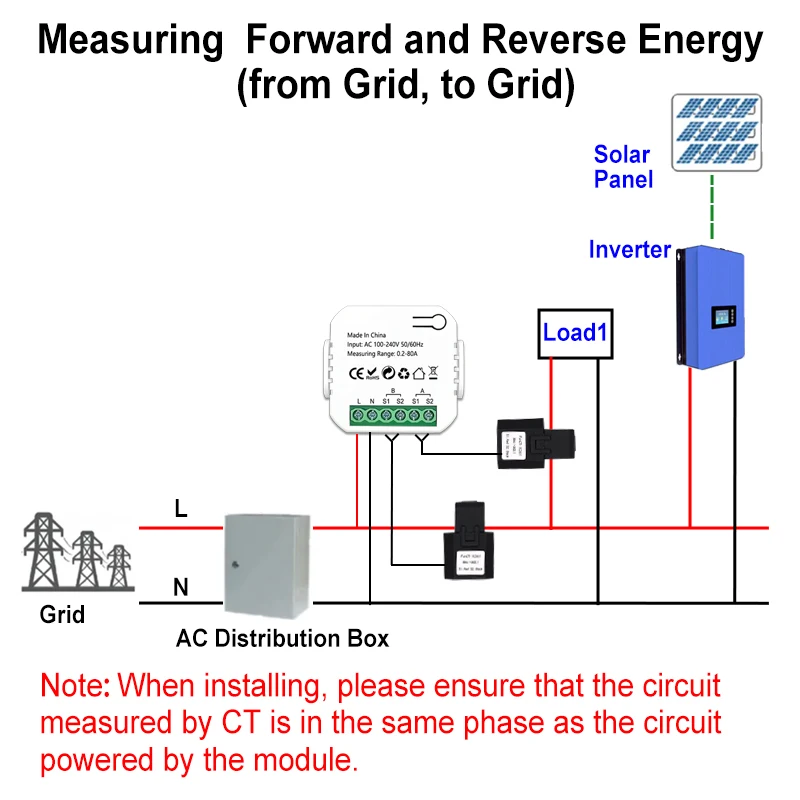
App can display Channel A and B Real-time power, current, voltage for Forward and Reverse direction clrealy
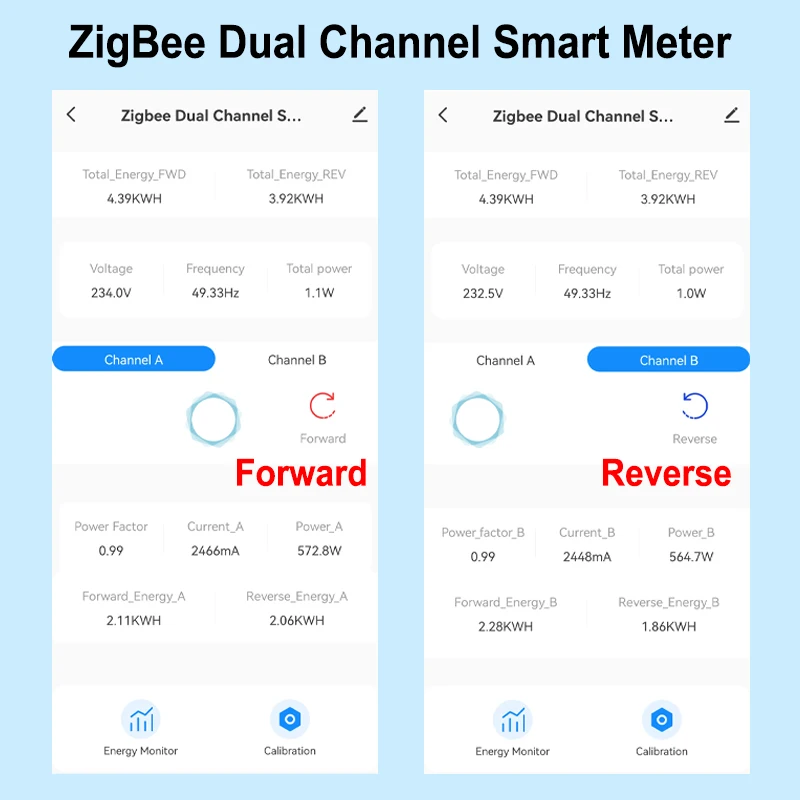
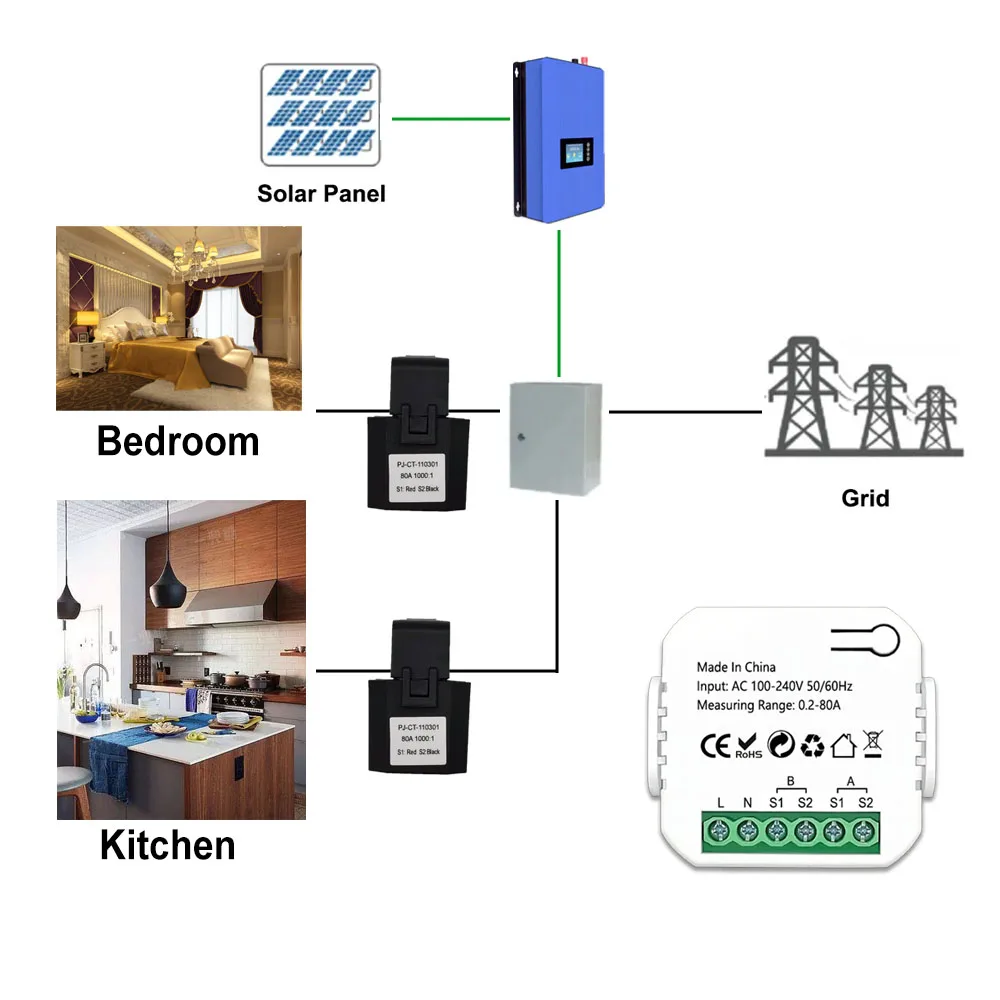
2 Channels For Reverse and Forward direction
1 Channle or 2 Channels are available to Choose
And you can read from App for each Channel
- Real-time total power of 2 channels of reverse and forward direction
- Power for Channel A and B Separately(W)
- Current(mA)
- Voltage(V),
- Power factor, and Frequency(Hz)
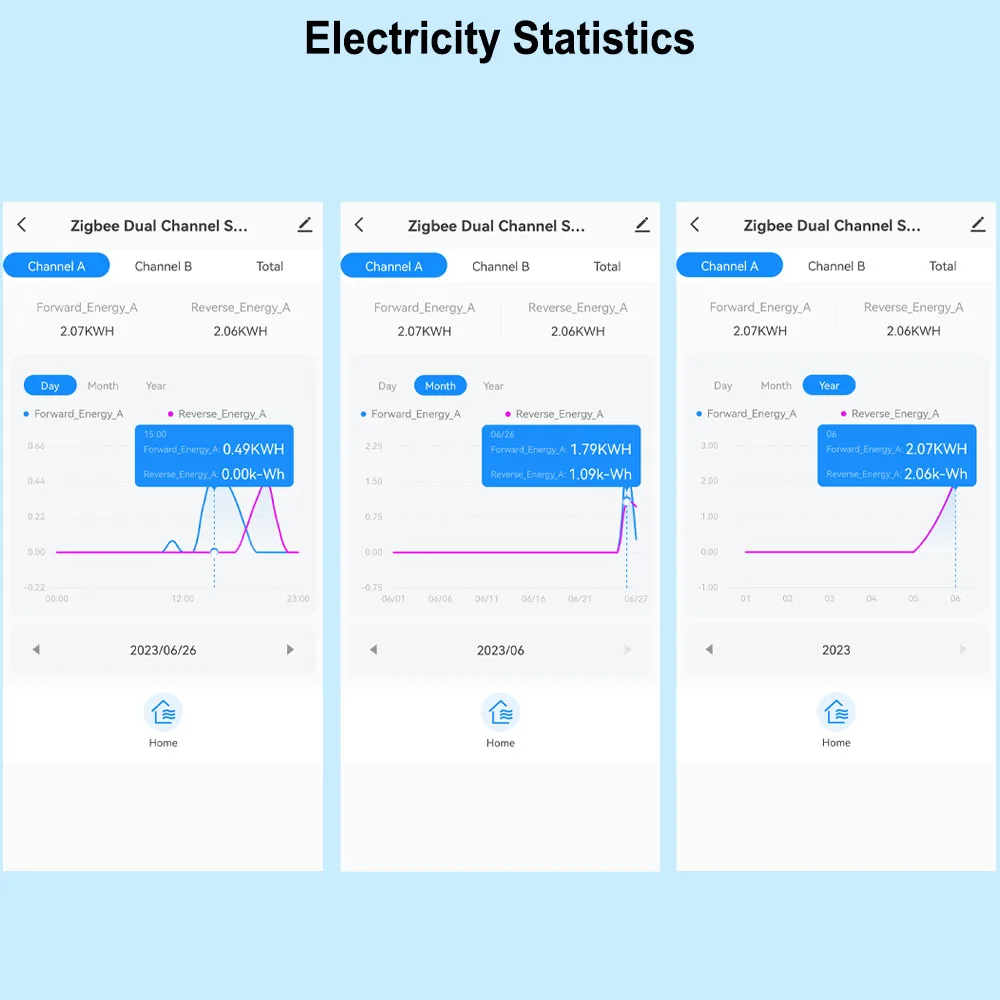
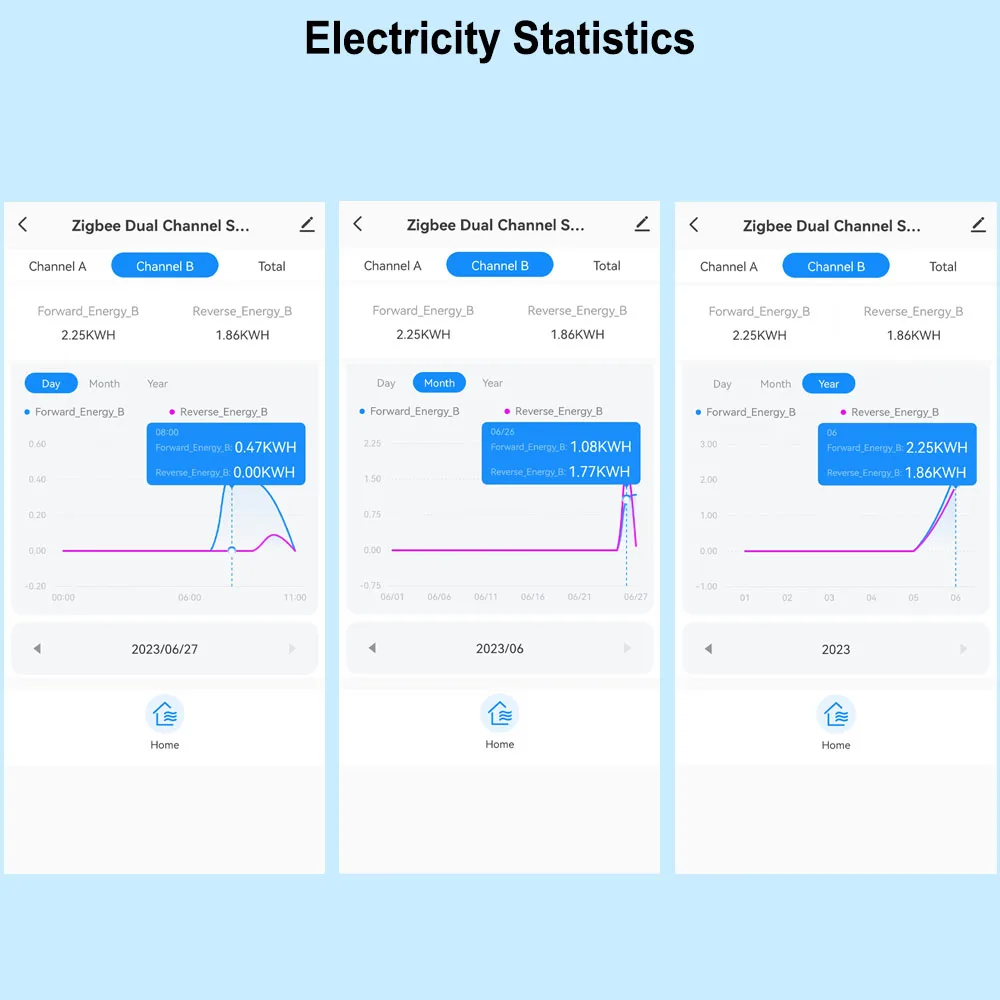
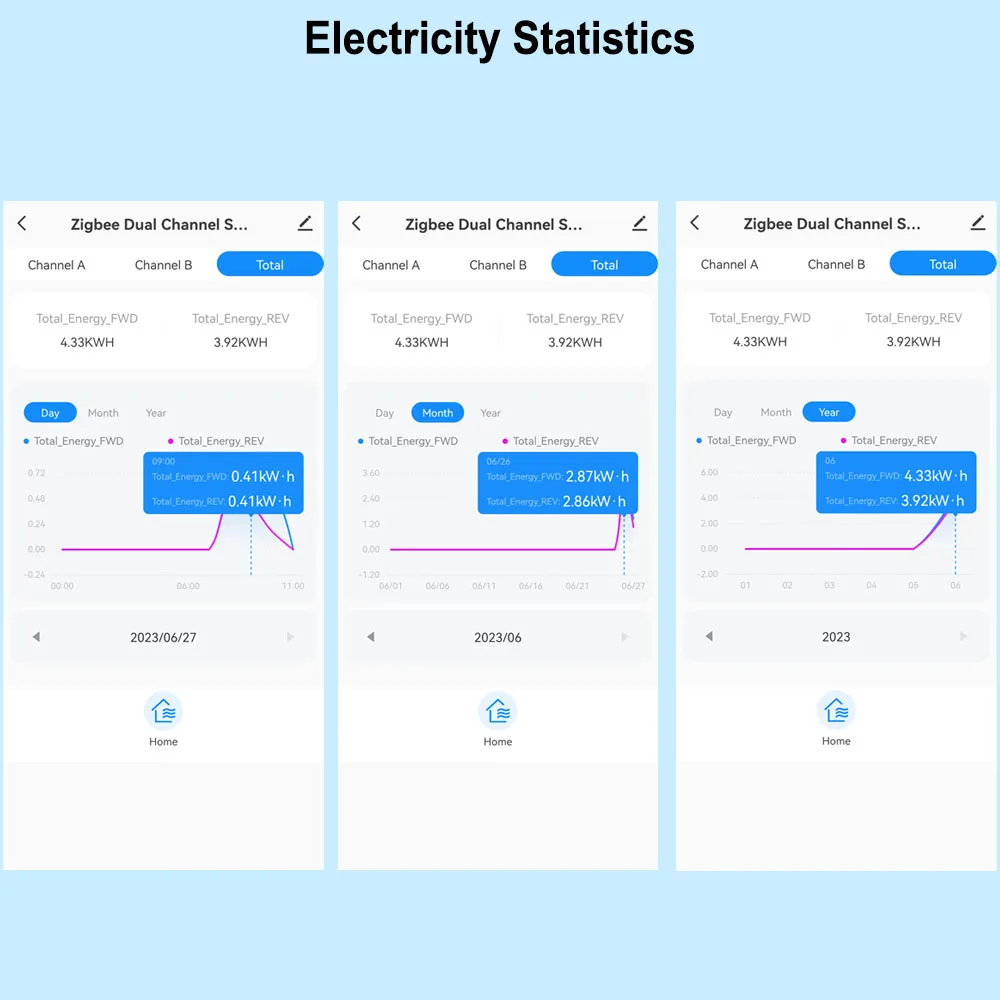
Electricity Statistic for each channel in Forward and Reverse direction.
Hourly Elec. (KWh)
Daily Elec. (KWh),
Monthly Elec. (KWh)
-Yearly Elec. (KWh)
Technical data:
Rated Voltage:100-240V AC 50/60Hz
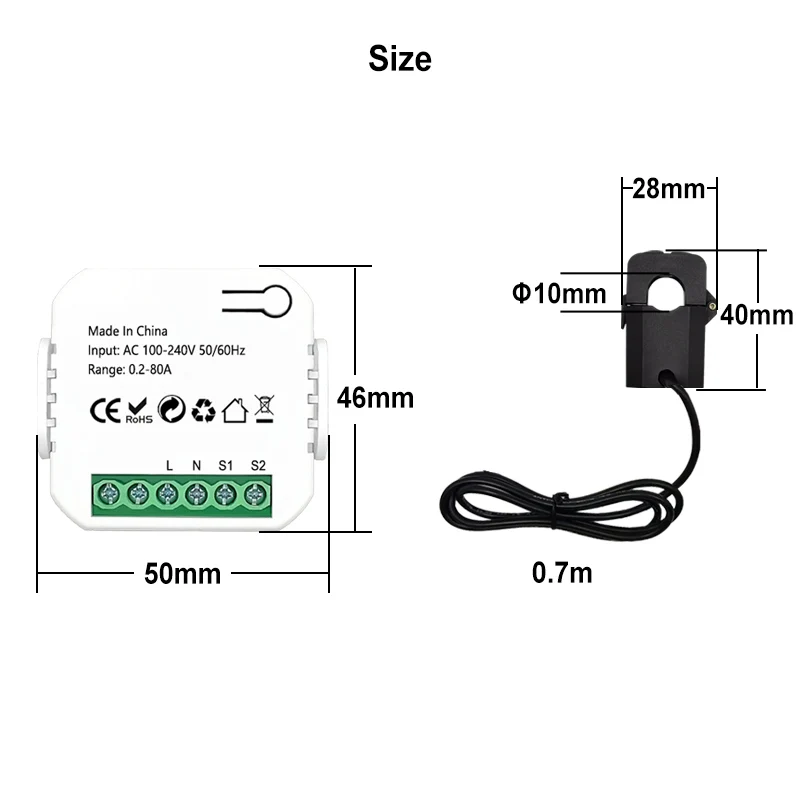
Measurable Current Range: 0.2A-80A
Protocal: ZigBee
WiFi Frequency: 2.4GHZ (Not Support 5Ghz)
Ambient Temperature Range:-10°C ~ 55°C
Electricity Statistic Channel A , B Separately and Total daily monthly, yearly Reverse and Forward Direction
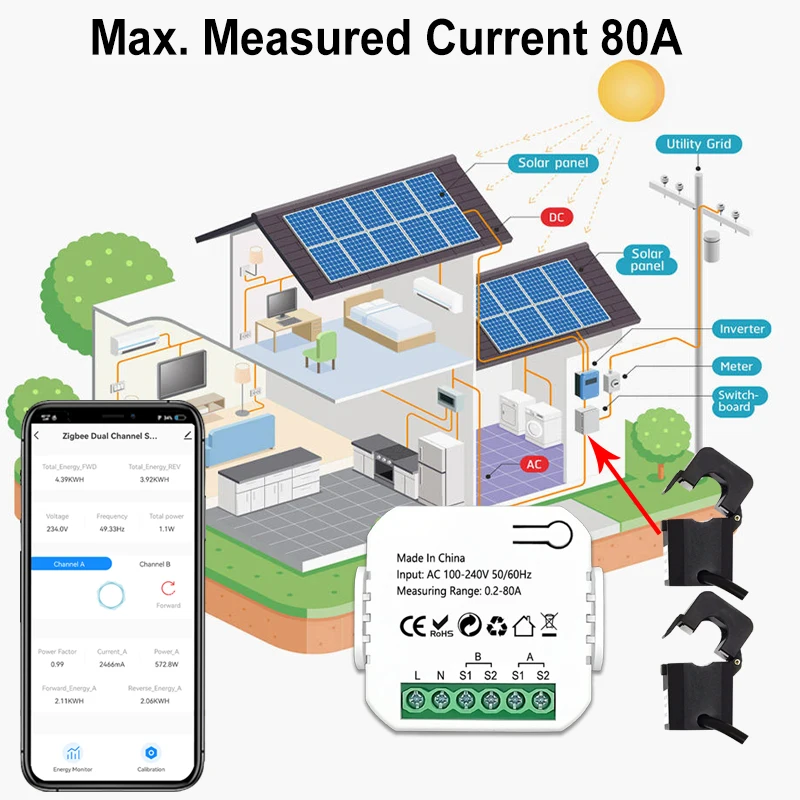
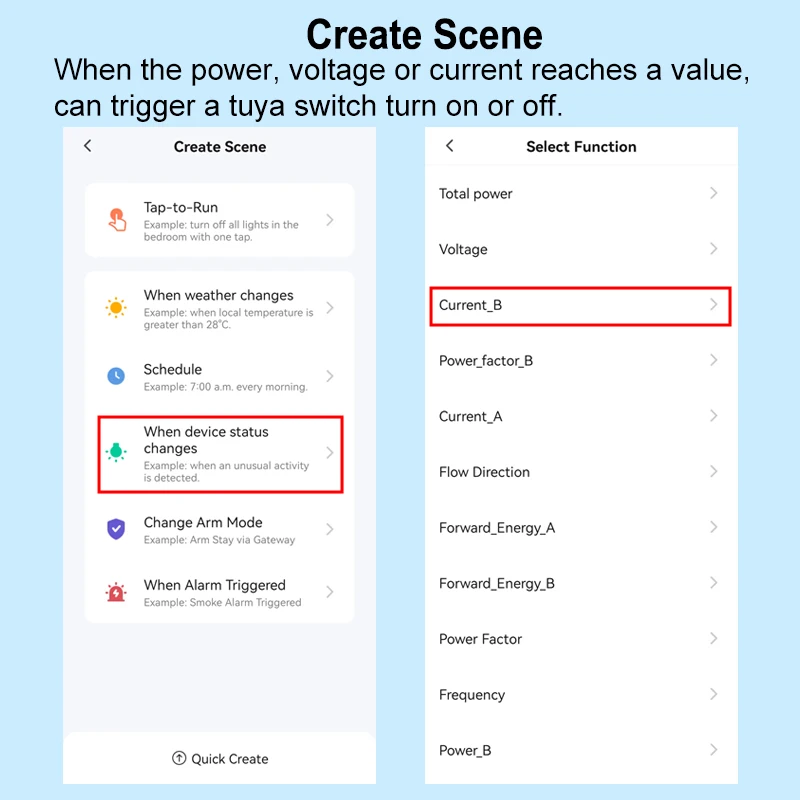
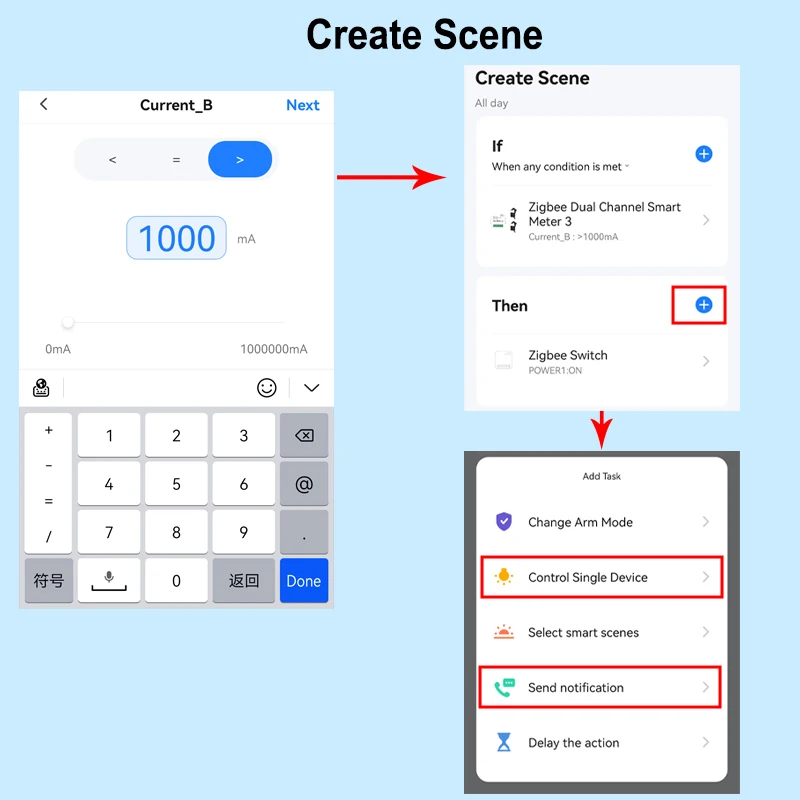
Automation , It allows to make a Scene for this device working with other tuya devices
Set Automation for the Measured Device ,
For example, If Power or Current Is over the Value, then other tuya device starts to work .
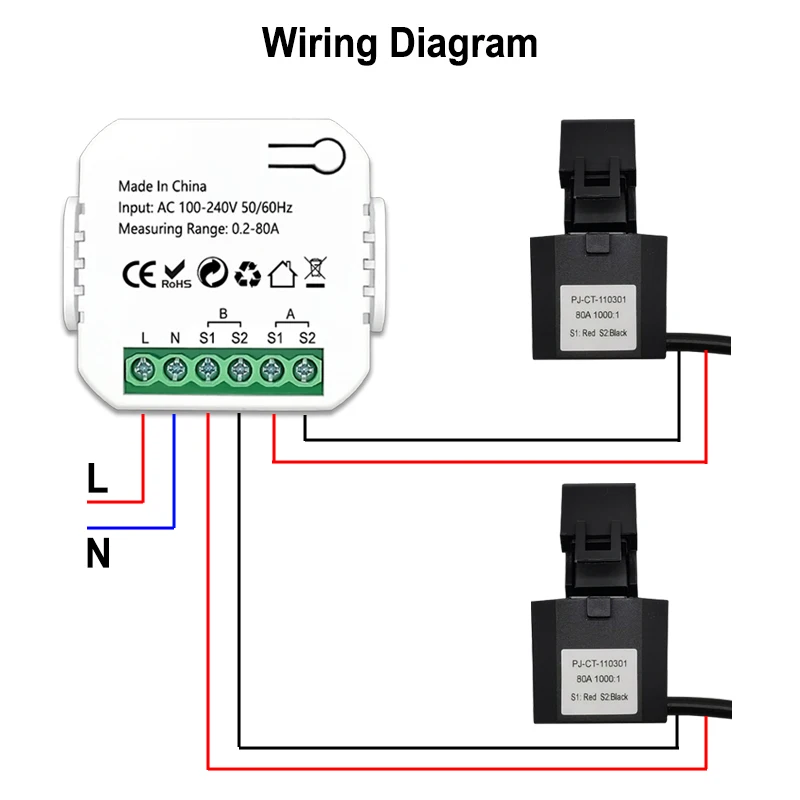
Wiring Diagram